05Oct

Can an Employee Leave Without Serving the Notice Period in India?

“When an employee resigns, one of the first questions HR teams usually face is: “Does the employee have to serve the entire notice period?”

The answer is not always a simple yes or no.

Notice periods are generally governed by the employee’s appointment letter, employment contract, company policies, applicable standing orders, and relevant employment laws. In some situations, an employer may agree to reduce or waive the notice period. In others, leaving without following the required process may create contractual or administrative consequences.

For HR teams, the important point is to handle notice-period exits consistently, document the decision properly, and avoid making assumptions based only on common workplace practices.

1. What Is a Notice Period?

A notice period is the period between an employee formally resigning and their final date of employment.

For example, if an employee submits a resignation on October 1 and their contract requires 30 days’ notice, their expected last working day may be around October 31, subject to the terms of the contract and how the employer calculates the notice period.

The purpose of the notice period is to give both sides time to manage the transition.

For the employer, this may include:

  • Finding a replacement

  • Completing knowledge transfer

  • Reassigning responsibilities

  • Recovering company assets

  • Completing pending work

  • Managing client or customer transitions

For the employee, it provides time to complete their responsibilities and formally close their employment.

There is no single universal notice period applicable to every private-sector employee in India. The applicable requirement can depend on the employment arrangement and the rules governing that establishment.

2. Can an Employee Leave Before Completing the Notice Period?

Yes, an employee may be relieved earlier if the employer agrees to it or if the applicable employment terms provide for it.

The employment contract may contain provisions dealing with:

  • Notice period

  • Early release

  • Notice pay

  • Waiver of notice

  • Salary in lieu of notice

  • Employer’s right to relieve the employee earlier

The Indian Contract Act recognises that parties can agree to alter or dispense with contractual performance in appropriate circumstances.

Therefore, HR should first check the employee’s appointment letter and applicable policies before deciding what action is appropriate.

3. What Is Notice Pay?

Notice pay generally refers to the amount payable in place of serving the required notice period, where the applicable contract or rules permit such an arrangement.

For example:

Required notice: 60 days Notice served: 30 days Remaining notice: 30 days

Depending on the employment terms, the remaining period may potentially be dealt with through notice pay or an agreed waiver.

However, HR should not automatically deduct an amount from an employee’s final settlement without checking the contractual terms, applicable law, and the basis for the deduction.

The calculation may also depend on how the employment contract defines the relevant salary components.

4. Can the Employer Waive the Notice Period?

In many employment arrangements, the employer may agree to release an employee before completion of the full notice period.

For example, an employee may request:

“I have received another opportunity and would like to be relieved after 15 days instead of serving the full 60-day notice.”

The employer may:

  • Accept the request

  • Reject the request

  • Agree to a shorter notice period

  • Require notice pay where applicable

  • Negotiate a different last working day

The important point is documentation.

If the company agrees to an early release, HR should record the approved last working day clearly.

Certain statutory or standing-order frameworks may also contain specific notice requirements and provisions for payment in lieu of notice. For example, the Central Rules under the Industrial Employment (Standing Orders) framework contain notice provisions for certain categories of workmen.

Therefore, HR should not treat one notice-period rule as applicable to every employee.

5. What Happens If an Employee Simply Stops Coming to Work?

This is different from an employee requesting early release.

If an employee resigns and then stops attending work without approval, HR should not immediately treat the employee as having been formally relieved.

The company should follow its applicable absence, abandonment, disciplinary, and separation procedures.

HR may need to:

  1. Record the resignation

  2. Record the employee’s absence

  3. Contact the employee

  4. Ask for clarification

  5. Provide an opportunity to respond where required

  6. Review the employment terms

  7. Follow the applicable company procedure

  8. Document the final decision

The exact process can vary depending on the employee’s status, applicable law, standing orders, and company policy.

6. What If the Employee Has an Emergency?

There may be situations where an employee cannot reasonably continue working through the full notice period.

Examples may include:

  • Serious personal circumstances

  • Medical emergencies

  • Family emergencies

  • Relocation

  • Urgent joining requirements at another organisation

  • Other exceptional circumstances

The employee should communicate the reason formally rather than simply disappearing from work.

HR can then evaluate whether an early release is appropriate.

A practical HR response is:

Request → Review → Management approval → Confirm last working day → Complete exit formalities

This keeps the process clear for both parties.

7. Can an Employee Use Leave During the Notice Period?

This depends on the company’s leave policy and the terms governing the employment.

An employee should not automatically assume that available leave can be used to eliminate the notice period.

For example, if an employee has 15 days of earned leave and a 30-day notice period, it does not necessarily mean that the employee can take 15 days of leave and consider the notice period completed.

HR should check:

  • Leave policy

  • Employment contract

  • Type of leave

  • Approval status

  • Business requirements

  • Applicable rules

Any adjustment should be communicated clearly to the employee.

8. What Should HR Check Before Approving Early Release?

Before approving an early release, HR should review the employee’s overall exit status.

Employee Information

  • Employee name and ID

  • Department

  • Designation

  • Date of joining

  • Resignation date

  • Proposed last working day

Notice Period

  • Contractual notice period

  • Notice already served

  • Remaining notice period

  • Notice-pay clause, if applicable

  • Early-release provisions

Handover

  • Pending assignments

  • Client responsibilities

  • Project status

  • Important files

  • Knowledge transfer

  • Replacement or reporting manager handover

Company Assets

  • Laptop

  • ID card

  • Mobile/device

  • Documents

  • Access cards

  • Other company property

Systems and Access

  • Email

  • HRMS

  • CRM

  • Cloud storage

  • Project management systems

  • Other business applications

Payroll and Settlement

  • Salary payable

  • Approved expenses

  • Leave balance

  • Advances

  • Loans

  • Notice-related amounts, where applicable

  • Other authorised deductions

This checklist helps HR avoid closing an employee’s exit before important responsibilities are completed.

9. Should Notice Pay Be Automatically Deducted From Full & Final Settlement?

Not necessarily.

This is one of the areas where HR teams should be particularly careful.

The company should verify:

  • What the appointment letter says

  • Whether notice pay is contractually applicable

  • Whether the employee requested early release

  • Whether management waived the remaining notice

  • Whether the applicable law permits the proposed deduction

  • Whether the calculation is correct

  • Whether the employee has been informed

The fact that an employee did not serve the full notice period does not by itself mean that HR should make an arbitrary deduction.

The contractual and legal basis should be clear.

10. What Should Be Included in the Exit Documentation?

If an employee is released before completing the full notice period, HR should clearly document the arrangement.

The records may include:

  • Employee resignation

  • Employee’s request for early release

  • Management approval

  • Confirmed last working day

  • Notice period calculation

  • Notice-pay decision, if applicable

  • Handover confirmation

  • Asset clearance

  • IT clearance

  • Full & final settlement records

  • Relieving documentation

  • Experience documentation

This becomes particularly important if questions arise later.

11. Common HR Mistakes to Avoid

Treating the Notice Period as the Same for Everyone

Different employees may have different contractual terms.

Approving Verbal Requests

An early-release decision should ideally be documented rather than relying only on a verbal conversation.

Making Unclear Salary Deductions

Any notice-related deduction should have a clear contractual and legal basis.

Ignoring Handover

Early release should not result in critical information being lost.

Forgetting System Access

Employee access should be reviewed and closed according to the organisation’s security process.

Not Updating the HRMS

The employee’s last working day, separation reason, settlement status, and exit documents should be updated properly.

Treating Absence as Automatic Resignation

An employee who stops attending work should be handled through the applicable company and legal process rather than assuming the employment ended automatically.

12. How HRMS Can Help Manage Notice Periods

A good HRMS can make employee exits more structured.

HR teams can use HRMS workflows to track:

  • Resignation submission

  • Notice period

  • Last working day

  • Approval status

  • Leave balance

  • Handover

  • Asset clearance

  • IT clearance

  • Payroll inputs

  • Full & final settlement

  • Exit documents

Automated reminders can also notify managers and HR about pending approvals or clearance tasks.

This reduces dependency on emails, spreadsheets, and manual follow-ups.

13. A Simple Notice Period Exit Workflow

A practical HR workflow can look like this:

Step 1: Employee submits resignation

↓

Step 2: HR verifies employment terms

↓

Step 3: Confirm notice period and proposed last working day

↓

Step 4: Manager and HR discuss handover requirements

↓

Step 5: Employee requests early release, if required

↓

Step 6: Management approves or rejects the request

↓

Step 7: HR documents the final decision

↓

Step 8: Complete handover and clearance

↓

Step 9: Process payroll and full & final settlement

↓

Step 10: Issue applicable exit documents

↓

Step 11: Update HRMS and close the employee record

This creates a consistent process instead of handling every resignation differently.

14. Final Takeaway for HR Teams

An employee leaving before completing the notice period is not simply a matter of saying “notice period is mandatory” or “the employee can leave whenever they want.”

The actual position depends on the employment contract, applicable employment rules, the employee’s category, and the circumstances of the separation.

In many cases, an employer and employee can agree on an earlier release, but the decision should be properly documented.

For HR teams, the safest approach is to:

  • Check the appointment letter

  • Verify the applicable rules

  • Understand the notice-pay clause

  • Document any waiver or early release

  • Complete the handover

  • Verify assets and access

  • Process the final settlement correctly

  • Maintain complete exit records

A well-managed resignation is not just about the employee’s last working day. It is about ensuring that the entire exit process is clear, documented, and properly closed.

Note: Employment and notice-period requirements can vary based on the employee’s role, establishment, contract, applicable state law, standing orders, and other circumstances. HR teams should verify the specific rules applicable to their organisation before making a final decision.

SEO Keywords

Primary Keyword: Employee notice period in India

Secondary Keywords: Notice period rules in India, employee resignation notice period, leaving job without notice period, notice pay in India, early release from notice period, HR notice period process, employee resignation process, full and final settlement, HR exit process

05Oct

HRMS for SMEs: Which HR Processes Should You Digitise First?

By Afla KC , Digital Marketing Executive

DigitiseFor small and medium-sized businesses, HR often starts with simple spreadsheets, emails, WhatsApp messages and physical files. This may work when the company has only a few employees. But as the workforce grows, managing attendance, leave, payroll, employee records and compliance manually can quickly become difficult.

This is where an HRMS (Human Resource Management System) can make a significant difference.

However, implementing an HRMS does not mean that every HR process needs to be digitized at the same time. For SMEs, the smarter approach is to identify the processes that consume the most time, create the most errors or have the greatest impact on employees and compliance.

So, which HR processes should an SME digitize first?

1. Start With Employee Data Management

Employee information is the foundation of almost every HR process.

In a traditional setup, employee records may be stored across spreadsheets, folders, email attachments and physical files. Finding the latest information can become difficult, especially when the company has multiple departments or locations.

An HRMS can centralise information such as:

  • Employee personal details

  • Contact information

  • Joining date

  • Job title and department

  • Salary information

  • Bank details

  • Emergency contacts

  • Documents and certificates

  • Employment status

  • Reporting manager

A centralized employee database gives HR teams one reliable source of information.

Why digitize this first?

Because almost every other HR process depends on accurate employee data.

When employee information is organized from the beginning, payroll, attendance, leave management and reporting become easier to manage.


2. Digitize Attendance and Time Tracking

Attendance is one of the most common HR processes that becomes difficult to manage manually.

SMEs may use biometric machines, spreadsheets, manual registers or messages from employees. HR teams then have to consolidate this information before payroll processing.

An HRMS can connect attendance data with employee profiles and payroll.

Depending on the system, businesses can manage:

  • Daily attendance

  • Working hours

  • Late arrivals

  • Early departures

  • Overtime

  • Shift schedules

  • Holidays

  • Work-from-home days

  • Attendance regularisation

This reduces repetitive data entry and makes attendance information easier to verify.

For businesses with multiple shifts or locations, digital attendance becomes even more valuable.


3. Move Leave Management Online

Leave management is another process that SMEs can digitize relatively quickly.

A manual leave process may look like this:

Employee → WhatsApp/Email → Manager → HR → Spreadsheet → Attendance Update

Every additional step creates opportunities for delays and errors.

With an HRMS, employees can generally apply for leave through the system, managers can approve or reject requests, and HR can automatically maintain leave balances.

Employees can also see information such as:

  • Available leave balance

  • Leave taken

  • Pending requests

  • Approved leave

  • Leave history

This creates transparency for both employees and HR teams.


4. Digitize Payroll Inputs

Payroll is one of the most sensitive HR processes in any organization.

Even a small error in attendance, leave, salary components or deductions can create employee dissatisfaction.

An HRMS can help consolidate payroll-related inputs such as:

  • Basic salary

  • Allowances

  • Attendance

  • Leave

  • Overtime

  • Incentives

  • Deductions

  • Loans or advances

  • Reimbursements

  • Statutory deductions

The exact payroll capabilities will depend on the HRMS and the company’s payroll requirements.

For SMEs, the biggest benefit is often not simply automated salary calculation. It is the reduction of repetitive data collection and manual consolidation before payroll processing.


5. Employee Document Management

HR teams regularly handle documents throughout the employee lifecycle.

These can include:

  • Offer letters

  • Appointment letters

  • ID documents

  • Educational certificates

  • Experience letters

  • Policy acknowledgements

  • Salary documents

  • Performance records

  • Exit documents

Managing these through physical folders or scattered computer files makes retrieval difficult.

An HRMS can provide a centralized digital document repository where employee records can be organized and accessed according to permissions.

This can save considerable time when HR needs to retrieve a document quickly.

It also makes employee records easier to maintain when employees move between departments, locations or roles.


6. Automate Employee Onboarding

Employee onboarding involves more than simply welcoming a new employee.

HR may need to collect documents, create employee records, issue appointment letters, assign departments, configure payroll details and communicate policies.

Without a structured system, onboarding can become a checklist spread across emails and spreadsheets.

An HRMS can help create a standardized onboarding workflow.

For example:

Offer Accepted → Documents Collected → Employee Profile Created → Policies Shared → Payroll Setup → Onboarding Completed

Automation can also help HR teams send reminders when required documents or actions are pending.

For growing SMEs, this creates a more consistent employee experience.


7. Digitize Performance Management

Performance management is often postponed when SMEs first adopt HR technology.

But once basic HR operations are digitized, performance management can become the next important area.

An HRMS can support processes such as:

  • Goal setting

  • Performance reviews

  • KPI tracking

  • Manager feedback

  • Employee self-assessments

  • Review history

  • Performance documentation

The objective should not be to turn performance management into a complicated software exercise.

Instead, technology should make an existing performance process more structured and consistent.


8. Automate HR Notifications and Approvals

HR teams spend a surprising amount of time following up on routine tasks.

For example:

“Please submit your documents.”

“Your leave request is pending.”

“Please complete the onboarding form.”

“Your manager needs to approve this request.”

An HRMS can automate many of these reminders and workflow notifications.

This allows HR professionals to spend less time chasing routine tasks and more time working on employee engagement, workforce planning and business support.


9. Make Compliance Tracking More Structured

Compliance is an important consideration for SMEs, particularly as the organization grows.

Depending on the organization’s location, workforce and applicable regulations, HR may need to manage areas such as statutory deductions, employee records, registers, declarations and required documentation.

An HRMS can help organize compliance-related data and provide reports or reminders.

However, businesses should not assume that software automatically guarantees legal compliance.

HRMS configurations should be reviewed against the organization’s actual requirements and applicable laws, especially when regulations change.

Technology can support compliance management, but proper HR processes and professional review remain important.


10. Digitize Employee Self-Service

One of the biggest advantages of an HRMS is that employees do not always need to depend on HR for routine information.

An employee self-service system can allow employees to access or request information such as:

  • Leave balance

  • Attendance records

  • Payslips

  • Personal information

  • Leave applications

  • Documents

  • Company policies

This creates a more transparent HR environment while reducing repetitive queries to the HR team.

For example, instead of HR receiving multiple messages asking, “How many leaves do I have left?”, employees can check the information themselves.

Small improvements like this can save significant administrative time over a year.


Which HR Processes Should SMEs Digitize First?

Not every SME has the budget or resources to implement every HRMS feature immediately.

A practical implementation order could look like this:

PriorityHR ProcessMain Benefit1Employee databaseCentralized employee information2AttendanceReduce manual tracking3Leave managementFaster approvals and accurate balances4Payroll inputsReduce calculation and data-entry errors5Document managementEasier record retrieval6OnboardingStandardized joining process7Employee self-serviceReduce routine HR queries8Performance managementStructured reviews and goals9Compliance trackingBetter organization and reminders10HR analyticsBetter workforce decisions

This sequence can change depending on the organization’s biggest pain points.

For example, a company with complex shift operations may prioritize attendance. A consulting company with a distributed workforce may prioritize employee self-service and leave management.


Don’t Digitize a Bad Process

One of the biggest mistakes SMEs make is assuming that technology automatically fixes inefficient processes.

It doesn’t.

If a company has a confusing leave policy and simply moves that process into software, the company now has a digitized confusing leave policy.

Before implementing an HRMS, businesses should ask:

What is the current process?

Who is responsible for each step?

Where do delays happen?

Where do errors happen?

Which tasks are repetitive?

What information needs to be captured?

Then the process can be simplified before automation.


Start Small and Scale

An SME does not need to implement a complex HRMS across every department on day one.

A better approach is to start with high-volume, repetitive processes.

For example:

Phase 1

Employee database + attendance + leave

Phase 2

Payroll inputs + document management + employee self-service

Phase 3

Onboarding + performance management + workflows

Phase 4

Analytics + advanced automation + workforce insights

This phased approach allows employees and HR teams to adapt gradually.

It also gives management an opportunity to measure whether the system is actually improving HR operations.


What Should SMEs Look for in an HRMS?

Before selecting an HRMS, businesses should consider more than just the number of features.

Important factors include:

Ease of Use

If employees and managers find the system difficult to use, adoption will remain low.

Scalability

The system should be able to support the organization as the employee count increases.

Integration

Consider whether the HRMS can connect with payroll, attendance devices, accounting software or other business systems where required.

Security

Employee information is sensitive. Access controls, authentication, backups and data protection should be carefully evaluated.

Reporting

The HRMS should provide useful reports rather than simply storing data.

Support

Implementation and ongoing support can be particularly important for SMEs without large internal HR technology teams.

Cost

Businesses should evaluate the total cost, including setup, subscriptions, integrations, training and support.


The Real Goal of HR Digitization

HR digitization is not simply about replacing paper files with software.

The bigger objective is to create an HR system where information moves efficiently between employees, managers, HR and management.

A simple flow might look like:

Employee Data → Attendance → Leave → Payroll → Documents → Performance → Analytics

When these processes are connected, HR teams can spend less time collecting and organizing information and more time using that information to support the business.

For SMEs, this can be especially valuable because HR teams are often expected to manage many responsibilities with limited resources.


Conclusion

The right HRMS implementation for an SME does not have to begin with dozens of features.

Start with the processes that are repetitive, time-consuming, error-prone and important to employees.

For most businesses, that means beginning with employee records, attendance, leave, payroll inputs and document management. Once these foundations are working well, organizations can gradually introduce onboarding, employee self-service, performance management, compliance workflows and HR analytics.

The goal is not to digitize HR simply because technology is available.

The goal is to build a simpler, more organized and scalable HR operation that can support the business as it grows.

For SMEs, the right HRMS is not just an HR tool. It can become part of the infrastructure that helps the organization manage people more efficiently.

SEO Keywords

Primary Keywords: HRMS for SMEs, HRMS for small businesses, HR software for SMEs, HR process automation

Secondary Keywords: HR digitization, HR automation, employee management software, attendance management system, leave management software, payroll management system, employee self-service, HR technology for SMEs

02Oct

The Complete HR Documentation Checklist for SMEs

By Nandana G.S , Digital Marketing Executive

For small and medium-sized businesses, HR documentation can easily become an afterthought.

When a company is growing quickly, the focus is often on hiring employees, processing salaries, managing daily operations, and meeting business targets. But without proper documentation, even a well-managed HR function can become difficult to track, audit, and manage.

Employee records, appointment documents, policies, attendance records, payroll information, performance documents, and exit records all form part of an organization’s HR documentation system.

A structured documentation process helps SMEs maintain consistency throughout the employee lifecycle.


Why HR Documentation Matters for SMEs

HR documentation is not simply about keeping files.

It creates a record of important employee-related decisions, processes, approvals, and communications.

Good documentation can help businesses:

  • Maintain accurate employee records

  • Standardize HR processes

  • Support payroll processing

  • Track employee lifecycle activities

  • Improve audit readiness

  • Reduce administrative confusion

  • Establish clearer responsibilities

  • Support compliance requirements applicable to the organization

For SMEs, creating a documentation system early can make HR management much easier as the company grows.


The Complete HR Documentation Checklist

1. Company & HR Policy Documents

Every organization should identify the policies relevant to its size, workforce, industry, and applicable legal requirements.

Examples include:

✔️ Employee handbook ✔️ Code of conduct ✔️ Leave and attendance policy ✔️ Work-from-home/remote work policy, where applicable ✔️ Working hours policy ✔️ Travel and reimbursement policy ✔️ Performance management policy ✔️ Disciplinary procedure ✔️ Grievance procedure ✔️ POSH-related documentation, where applicable ✔️ Information security/confidentiality policies

Policies should not simply exist as documents. Employees should be appropriately informed about policies relevant to them, and required acknowledgements should be maintained.


2. Recruitment Documentation

Documentation begins before an employee joins the organization.

A structured recruitment file may include:

  • Job description

  • Job requisition/approval

  • Candidate application or resume

  • Interview records

  • Assessment results, where applicable

  • Selection approval

  • Salary/offer approval

  • Offer letter

  • Relevant candidate communication

Maintaining recruitment records can help HR understand how hiring decisions were made and ensure a more consistent recruitment process.


3. Pre-Joining & Employee Verification Documents

Before onboarding, organizations may need to collect and verify appropriate employee information.

Depending on the role and organization, this may include:

✔️ Identity documents ✔️ Address/contact information ✔️ Educational qualifications ✔️ Previous employment details ✔️ Bank account information ✔️ PAN and other applicable tax information ✔️ PF/UAN-related information, where applicable ✔️ ESI-related information, where applicable ✔️ Emergency contact details ✔️ Background verification records, where applicable

Only information that is genuinely required should be collected and handled appropriately.


4. Joining & Onboarding Documents

A new employee’s personnel file should be created systematically.

Important documents may include:

  • Appointment/employment letter

  • Joining report

  • Employee information form

  • Document verification checklist

  • Confidentiality/NDA documentation, where applicable

  • Policy acknowledgement

  • Code of conduct acknowledgement

  • Bank/payroll details

  • Statutory declarations or forms, where applicable

  • Onboarding checklist

A standardized onboarding checklist reduces the chance of important steps being missed.


5. Employee Master Data

The employee master record is one of the most important HR records.

It may contain:

Employee ID | Name | Department | Designation | Joining Date | Location | Reporting Manager | Salary Details | Employment Status

Additional information can be maintained where required for payroll, statutory, or operational purposes.

The key is to ensure that the employee master data remains accurate and updated.


6. Attendance & Leave Records

Attendance and leave records can directly affect payroll and employee management.

Organizations should maintain appropriate records of:

✔️ Attendance ✔️ Leave applications ✔️ Leave approvals ✔️ Holidays ✔️ Late/early attendance records, where applicable ✔️ Overtime records, where applicable ✔️ Leave balances

Clear records can reduce disputes and make payroll processing easier.


7. Payroll & Salary Documentation

Payroll documentation should be capable of being reconciled with HR records.

Depending on the organization’s structure, this may include:

  • Salary structure

  • Salary revision letters

  • Payroll registers

  • Payslips

  • Incentive/bonus records

  • Deduction records

  • Reimbursement records

  • Salary advance records

  • Payroll approvals

  • Statutory contribution records

  • TDS-related salary records

Regular reconciliation between HR, payroll, and finance can help identify inconsistencies early.


8. Statutory Compliance Records

Statutory documentation depends on the organization’s workforce, location, establishment type, and applicable laws.

Where applicable, businesses may need to maintain records relating to:

PF
  • Employee/UAN information

  • Contribution records

  • Payment records

  • Applicable filings/returns

ESI
  • Employee-related records

  • Contribution information

  • Payment records

  • Applicable filings

Professional Tax
  • Employee applicability records

  • Deduction records

  • Payment/return records, where applicable

TDS
  • PAN details

  • Investment declarations/proofs as applicable

  • Salary/TDS calculations

  • Challans

  • Returns/forms

  • Relevant certificates

Labour Welfare Fund

Where applicable, maintain employee contribution, employer contribution, payment, and filing records as required under the relevant state framework.

Important: Statutory requirements can differ based on state, establishment, employee category, and applicable legislation. SMEs should verify the current requirements applicable to their organization.


9. Performance Management Documents

Performance documentation helps create a structured record of employee development and performance discussions.

This can include:

✔️ Performance goals ✔️ KPI/KRA documents ✔️ Review forms ✔️ Performance feedback ✔️ Appraisal records ✔️ Increment letters ✔️ Promotion letters ✔️ Performance improvement plans, where applicable ✔️ Training and development records

Documentation should focus on clear, objective records rather than informal comments or unsupported assessments.


10. Employee Training & Development Records

Organizations should track relevant employee learning activities.

Examples:

  • Training needs

  • Training schedules

  • Attendance

  • Certificates

  • Training feedback

  • Skill development plans

  • Internal training records

This helps HR understand what development activities have been provided and where additional training may be needed.


11. Employee Grievance & Disciplinary Records

Where an employee issue requires formal action, relevant documentation should be maintained appropriately.

Depending on the situation, records may include:

  • Employee complaint/grievance

  • Investigation-related documentation

  • Employee responses

  • Meeting records

  • Formal warnings

  • Corrective action

  • Resolution records

These records should be handled confidentially and accessed only by authorized personnel.


12. Employee Lifecycle Changes

Employee records should be updated whenever important changes occur.

Examples include:

Promotion → Transfer → Department Change → Salary Revision → Role Change → Location Change → Manager Change

Supporting approvals and relevant documentation should be maintained.

A common HR problem is updating one record while forgetting to update another.


13. Resignation & Exit Documentation

Employee documentation should continue until the end of the employment relationship.

An exit checklist can include:

✔️ Resignation letter ✔️ Resignation acknowledgement ✔️ Notice-period records ✔️ Handover documentation ✔️ Asset clearance ✔️ Attendance/leave reconciliation ✔️ Salary and recovery calculations ✔️ Full & final settlement ✔️ Exit interview, where applicable ✔️ Relieving letter ✔️ Experience/service certificate, where applicable ✔️ Statutory updates

This creates a clear record of the employee’s exit process.


14. HR Audit Documentation

SMEs should also maintain evidence that important HR processes are actually being carried out.

Examples include:

  • HR checklists

  • Compliance calendars

  • Payroll reconciliation reports

  • Employee file audits

  • Policy acknowledgements

  • Approval records

  • Statutory payment records

  • Corrective-action records

  • Audit findings and closure records

An HR audit is much easier when documentation is organized throughout the year rather than collected at the last minute.


A Simple SME HR Documentation Structure

Businesses can organize their HR documentation around the employee lifecycle:

Before Joining

Recruitment → Selection → Offer → Verification

Joining

Appointment → Documentation → Onboarding → Payroll Setup

During Employment

Attendance → Leave → Payroll → Compliance → Performance → Training → Employee Changes

Exit

Resignation → Handover → Clearance → Full & Final → Exit Documentation

This creates a simple framework that HR teams can follow consistently.


How Often Should HR Documents Be Reviewed?

HR documentation shouldn’t be created once and forgotten.

Monthly

Review:

  • Employee master data

  • Attendance and leave

  • Payroll records

  • New joiners

  • Employee exits

  • Applicable compliance records

Quarterly

Review:

  • Employee files

  • HR policies

  • Payroll reconciliation

  • Compliance documentation

  • Pending HR actions

Annually

Review:

  • HR policies

  • Employee documentation

  • Compliance framework

  • Performance records

  • HR processes

  • Audit readiness

The exact frequency should depend on the organization’s size, risk profile, workforce, and applicable requirements.


10 Questions Every SME Should Ask

Before considering its HR documentation system complete, a business should ask:

  1. Do we have a complete employee file for every active employee?

  2. Are joining and exit documents properly maintained?

  3. Does our employee master data match payroll records?

  4. Are attendance and leave records properly documented?

  5. Are applicable statutory records maintained?

  6. Are salary revisions properly approved and recorded?

  7. Are important HR policies documented and communicated?

  8. Are performance and employee development records maintained?

  9. Can we quickly retrieve important HR documents when required?

  10. Do we regularly audit our HR documentation for gaps?

If several answers are “No” or “Not sure,” it may be time for a structured HR documentation review.


Common HR Documentation Mistakes SMEs Should Avoid

❌ Maintaining employee information only in spreadsheets

Spreadsheets can be useful, but relying on scattered files without a controlled process can create inconsistencies.

❌ Collecting documents but not organizing them

Document collection is only the first step. Records should be organized and retrievable.

❌ Updating payroll without updating HR records

Salary revisions, role changes, and employee status changes should flow through the appropriate processes.

❌ Creating policies without implementation

A policy is useful only when the organization has a process for communicating and applying it.

❌ Preparing documents only when an audit happens

Good HR documentation should be maintained continuously.


How Level Up HR Solutions Can Help

Managing HR documentation can become challenging as an SME grows.

Level Up HR Solutions supports businesses with structured HR processes including:

✔️ HR Documentation ✔️ HR Audits ✔️ Payroll Management & Compliance ✔️ PF & ESI Compliance Support ✔️ HR Policy Documentation ✔️ Employee Lifecycle Documentation ✔️ HR Process Support ✔️ Statutory Compliance Support

The objective is to help businesses move from scattered HR records to a more organized, consistent, and audit-ready HR system.


Final Thoughts

For an SME, HR documentation is not just paperwork.

It is the foundation for maintaining accurate employee records, consistent processes, payroll coordination, compliance evidence, and better HR management.

The best time to organize HR documentation is before a problem occurs—not when someone suddenly asks for the records.

A simple principle can guide the process:

If an important HR activity happened, there should be an appropriate record of it.

And as your business grows, that documentation should grow with it.


Level Up HR Solutions

Compliance Partner for SMEs in India

📞 +91 8714805999 📧 info@leveluphrs.com 🌐 www.leveluphrs.com


30Sep

Who Should Conduct an HR Audit: Internal Team, Consultant or External Expert?

By Afla KC , Digital Marketing Executive

Introduction

An HR audit is an important process for organisations that want to understand how effectively their HR systems, policies, documentation, payroll processes, and compliance practices are working.

But before conducting an HR audit, businesses often face an important question:

Who should conduct the audit?

Should the organisation use its internal HR team? Should it hire an HR consultant? Or should it bring in an independent external expert?

There is no single answer that works for every organisation.

The right choice depends on the company’s size, HR maturity, complexity, risk exposure, available internal expertise, and the purpose of the audit.

For example, an internal HR team may be perfectly capable of conducting a routine process review. However, if the organisation wants an independent assessment of its HR compliance and systems, an external expert may provide greater objectivity.

In this blog, we will compare the three approaches and explain when each option makes sense.


What Is an HR Audit?

An HR audit is a systematic review of an organisation’s HR policies, processes, records, systems, and practices.

The objective is to identify:

  • Compliance gaps

  • Documentation issues

  • Payroll errors

  • Process inefficiencies

  • Policy inconsistencies

  • Employee-record gaps

  • Statutory risks

  • Areas for improvement

An HR audit can cover different areas depending on the organisation’s requirements.

Common areas include:

  • Employee documentation

  • Recruitment and onboarding

  • HR policies

  • Attendance and leave

  • Payroll

  • Statutory compliance

  • Performance management

  • Employee benefits

  • Training and development

  • Exit and full-and-final settlement

  • HR data management

A well-designed audit should not simply identify problems. It should help the organisation understand what needs to be improved and how.


Why Does the Choice of Auditor Matter?

The person or team conducting the audit can influence the quality and usefulness of the findings.

An internal team may have deep knowledge of the organisation but may also be too close to its existing processes.

An external consultant may bring specialised expertise and an outside perspective.

An independent expert may provide an even stronger level of objectivity, particularly when the organisation needs an unbiased assessment.

Therefore, businesses should select the audit approach based on the purpose and scope of the audit, rather than choosing the cheapest or most convenient option.


Option 1: Internal HR Team

The first option is to conduct the HR audit internally.

This means the organisation’s own HR professionals review its HR systems and processes.

Advantages of an Internal HR Audit

1. Better Understanding of the Organisation

Internal HR teams already understand:

  • Company policies

  • Employee structures

  • Payroll processes

  • Reporting relationships

  • Existing HR systems

This can make the audit process faster.

2. Lower Cost

If the organisation already has a capable HR team, an internal audit may require little additional expenditure.

3. Easier Access to Information

Internal HR professionals generally have direct access to:

  • Employee records

  • Payroll data

  • HR policies

  • Attendance systems

  • Leave records

  • HRMS

4. Continuous Improvement

Internal audits can be conducted regularly rather than only once a year.

This can help organisations identify and correct issues early.


Limitations of an Internal HR Audit

The biggest challenge is objectivity.

The same HR team that created or manages a process may be responsible for auditing it.

This can make it difficult to identify problems objectively.

For example, if the HR team developed the employee onboarding process, it may naturally focus on whether the process is being followed rather than questioning whether the process itself is effective.

Other limitations may include:

  • Limited specialist knowledge

  • Internal bias

  • Lack of benchmarking

  • Difficulty challenging senior management

  • Limited exposure to different HR practices

Therefore, internal audits work best when the organisation has experienced HR professionals and the audit is primarily focused on routine monitoring and process improvement.


Option 2: HR Consultant

The second option is hiring an HR consultant.

An HR consultant works with organisations on specific HR requirements and can conduct an audit based on the company’s objectives.

This is often useful for small and medium-sized businesses that do not have a large internal HR department.

Advantages of Hiring an HR Consultant

1. Specialised Knowledge

A consultant may have experience in areas such as:

  • HR compliance

  • Payroll

  • HR policies

  • Employee documentation

  • HR systems

  • Performance management

  • Employee engagement

2. External Perspective

A consultant is not part of the organisation’s daily HR operations.

This allows them to identify issues that internal teams may overlook.

3. Flexible Engagement

Businesses can hire consultants for:

  • One-time audits

  • Quarterly reviews

  • Annual audits

  • Specific compliance projects

  • HR system restructuring

4. Suitable for Growing Businesses

Small and growing businesses may not need a full-time HR compliance specialist.

A consultant can provide expertise when required.


Limitations of an HR Consultant

The quality of the audit depends heavily on the consultant’s experience and methodology.

Businesses should carefully evaluate:

  • Professional experience

  • Industry knowledge

  • Audit methodology

  • Understanding of applicable labour requirements

  • Reporting approach

  • References or previous work

Another potential limitation is that consultants may have limited knowledge of the organisation’s history compared with internal employees.

They may need additional time to understand the company’s structure and processes.


Option 3: External HR Expert or Independent Auditor

The third option is using an independent external expert.

This approach is particularly useful when the organisation wants a highly objective assessment.

An external expert may review HR systems without being involved in their day-to-day management.

Advantages of an Independent External Audit

1. Stronger Objectivity

An external expert can assess processes without being directly involved in creating or managing them.

This can make it easier to identify weaknesses.

2. Risk Identification

Experienced external professionals can identify potential risks that internal teams may not recognise.

These may include:

  • Documentation gaps

  • Payroll inconsistencies

  • Compliance risks

  • Policy gaps

  • Process weaknesses

3. Benchmarking

External experts may bring experience from working with multiple organisations.

This can help businesses understand how their HR practices compare with commonly used industry approaches.

4. Greater Management Confidence

An independent report can give business owners and senior management greater confidence that HR processes have been reviewed objectively.


Internal Team vs Consultant vs External Expert

FactorInternal HR TeamHR ConsultantExternal ExpertOrganisational knowledgeHighMediumMediumIndependenceLowHighVery HighCostUsually lowerModerateCan be higherSpecialist expertiseDepends on teamUsually highUsually highObjectivityLimitedStrongVery strongBest for routine reviewsYesYesYesBest for complex auditsDepends on expertiseYesYesBest for independent assessmentNoSometimesYesSuitable for small businessesIf HR team existsYesYesSuitable for major compliance reviewDependsYesYes

The “best” option depends on the organisation’s specific requirements.


When Should You Choose an Internal HR Audit?

An internal audit may be suitable when:

  • The HR team is experienced

  • HR systems are already well established

  • The audit is routine

  • The organisation wants regular process monitoring

  • The audit scope is relatively straightforward

  • There are no major compliance concerns

For example, a company may conduct quarterly internal checks of employee records, attendance, leave, and payroll processes.


When Should You Hire an HR Consultant?

An HR consultant may be the better choice when:

  • The organisation has a small HR team

  • HR systems are still developing

  • New policies need to be created

  • The company is growing quickly

  • Management wants an external review

  • The organisation needs specialist HR knowledge

Consultants can also help businesses implement corrective actions after an audit.


When Should You Choose an Independent External Expert?

An independent expert may be appropriate when:

  • The organisation wants an unbiased assessment

  • There are suspected compliance gaps

  • The company is undergoing major restructuring

  • Management wants an independent HR review

  • The organisation is preparing for due diligence

  • There are complex HR processes

  • The business has multiple locations

  • The organisation wants a comprehensive HR risk assessment

An external review can be especially valuable when senior management wants an objective picture of the organisation’s HR function.


What Should an HR Audit Cover?

Regardless of who conducts the audit, the scope should be clearly defined.

A comprehensive HR audit may review:

Employee Documentation

  • Appointment letters

  • Employee records

  • Employment contracts

  • Salary revisions

  • Exit documentation

Payroll

  • Salary calculations

  • Deductions

  • Payroll structure

  • Full-and-final settlements

Statutory Compliance

Depending on applicability:

  • Provident Fund

  • ESI

  • Professional Tax

  • TDS

  • Minimum wage requirements

  • Other labour-related requirements

HR Policies

  • Leave policy

  • Attendance policy

  • Work-from-home policy

  • Code of conduct

  • Performance management

  • Grievance procedures

Employee Lifecycle

  • Recruitment

  • Onboarding

  • Probation

  • Confirmation

  • Promotion

  • Transfer

  • Exit

HR Systems

  • HRMS

  • Attendance software

  • Payroll software

  • Employee databases

  • Document management


How to Choose the Right Auditor

Businesses should consider several factors before selecting an auditor.

1. Define the Purpose

First ask:

Why are we conducting the HR audit?

Is the objective compliance, process improvement, risk identification, or complete HR restructuring?

2. Determine the Scope

Decide whether the audit will cover:

  • Payroll only

  • Compliance only

  • Employee documentation

  • Policies

  • Complete HR operations

3. Consider Internal Expertise

If the internal HR team lacks specialist knowledge, an external professional may be more appropriate.

4. Evaluate Independence

If management needs an unbiased assessment, choose someone who is sufficiently independent from the processes being reviewed.

5. Review Experience

Look for experience relevant to the organisation’s:

  • Industry

  • Workforce size

  • Locations

  • HR complexity

6. Check the Reporting Method

A useful audit report should clearly identify:

  • Finding

  • Risk

  • Evidence

  • Priority

  • Recommended action

  • Responsible person

  • Suggested timeline

A report that only lists problems without providing practical recommendations has limited value.


The Best Approach May Be a Combination

Businesses do not always have to choose only one option.

A combination can often provide the best results.

For example:

Internal HR Team → Regular Monitoring

HR Consultant → Periodic Process Review

Independent Expert → Annual Comprehensive Audit

This creates multiple levels of review.

The internal team manages day-to-day compliance, while an external professional periodically evaluates the overall system.


How Technology Supports HR Audits

Modern HR technology can make audits more efficient.

HRMS and payroll systems can help auditors review:

  • Employee records

  • Attendance

  • Leave

  • Salary

  • Statutory deductions

  • Documents

  • Employee lifecycle information

Digital records also make it easier to identify missing information and inconsistencies.

However, technology should support the audit rather than replace professional judgement.


What Happens After an HR Audit?

The audit itself is only the beginning.

After identifying gaps, HR teams should create an action plan.

A practical action plan can classify findings as:

High Priority

Issues that could create significant legal, financial, or operational risk.

Medium Priority

Process gaps that should be addressed within a defined timeframe.

Low Priority

Administrative improvements that can be addressed gradually.

Each action should have:

  • Responsible person

  • Deadline

  • Required resources

  • Status

  • Follow-up date

This converts the audit from a report into an improvement programme.


Common HR Audit Mistakes

Organisations should avoid:

Auditing Without a Clear Scope

A vague audit can produce vague results.

Focusing Only on Compliance

HR effectiveness also includes employee processes, policies, systems, and documentation.

Treating the Audit as a Blame Exercise

The purpose should be improvement, not finding someone to blame.

Ignoring the Findings

An audit has little value if recommendations are never implemented.

Conducting an Audit Only When There Is a Problem

Regular reviews are more effective than waiting for a major issue.


Conclusion

Choosing who should conduct an HR audit depends on the organisation’s objectives, internal capabilities, HR complexity, and desired level of independence.

An internal HR team can be effective for regular monitoring and routine process reviews.

An HR consultant can provide specialised expertise and an external perspective, particularly for growing organisations and businesses with limited internal HR resources.

An independent external expert can provide a higher level of objectivity and is particularly valuable when the organisation needs a comprehensive assessment, risk review, or independent evaluation.

For many businesses, the most effective approach is not choosing one option permanently. Instead, organisations can combine internal monitoring with periodic external reviews.

The ultimate goal of an HR audit is not simply to identify what is wrong. It is to create a stronger HR function that is structured, compliant, efficient, transparent, and aligned with business goals.

A well-conducted HR audit gives management a clearer understanding of where the organisation stands—and, more importantly, what needs to happen next.

The right auditor is not simply the person who finds the most problems. It is the professional or team that helps the organisation understand its risks, improve its processes, and build a stronger HR system.

29Sep

Benefits of Payroll Outsourcing for Companies: Why Businesses Are Moving Beyond In-House Payroll

By Nandana G.S , Digital Marketing Executive

Payroll is one of the most critical functions in any organization. Employees expect their salaries to be accurate and timely, while businesses need to manage tax deductions, statutory contributions, payroll records, and compliance requirements correctly.

As businesses grow, managing payroll entirely in-house can become increasingly complex. This is why many organizations are considering payroll outsourcing as a way to improve efficiency, reduce administrative pressure, and strengthen compliance.

What Is Payroll Outsourcing?

Payroll outsourcing means engaging an external payroll service provider to manage some or all payroll-related activities on behalf of the organization.

Depending on the arrangement, this may include:

  • Payroll processing

  • Salary calculations

  • Payslip generation

  • PF and ESI-related processing

  • Professional Tax compliance

  • TDS calculations and support

  • Payroll reports

  • Full & Final settlement calculations

  • Payroll reconciliation

  • Statutory compliance support

The exact scope depends on the service agreement and the organization’s requirements.

Why Are Businesses Moving Beyond In-House Payroll?

Managing payroll internally may work well for a small organization with a simple workforce. But as employee numbers, locations, salary structures, and statutory requirements increase, payroll becomes more demanding.

Businesses may have to deal with:

✔️ Multiple salary components ✔️ Employee additions and exits ✔️ Leave and attendance inputs ✔️ PF and ESI requirements ✔️ TDS calculations ✔️ State-specific compliance ✔️ Reimbursements and deductions ✔️ Bonuses and incentives ✔️ Full & Final settlements ✔️ Regular payroll reconciliation

Outsourcing can help organizations manage this complexity through a more structured process.

Key Benefits of Payroll Outsourcing

1. Improved Payroll Accuracy

Payroll involves multiple calculations and employee-specific inputs. Manual errors can result in incorrect salaries, deductions, or statutory contributions.

A professional payroll process can introduce standardized checks and reconciliation procedures that help reduce avoidable errors.

2. Better Compliance Management

Payroll is closely connected to several statutory requirements.

Depending on applicability, organizations may need to manage:

  • PF

  • ESI

  • TDS

  • Professional Tax

  • Labour Welfare Fund

  • Gratuity-related calculations

  • Other applicable statutory requirements

Outsourcing payroll can provide additional support in tracking applicable compliance requirements and maintaining related records.

However, the employer remains responsible for meeting its legal obligations, even when payroll processing is outsourced.

3. Saves HR Time

Payroll administration can consume significant HR time every month.

Instead of spending hours on:

  • Data collection

  • Salary calculations

  • Payroll validation

  • Payslip preparation

  • Reconciliation

  • Payroll queries

HR teams can focus more on employee engagement, recruitment, performance management, HR policies, and strategic initiatives.

4. Reduces Administrative Work

Payroll outsourcing can reduce repetitive administrative activities by introducing a defined payroll workflow.

A typical process may look like:

Attendance & Leave Inputs → Payroll Data → Salary Calculation → Verification → Statutory Processing → Payroll Finalization → Payslips & Reports

This creates greater consistency across payroll cycles.

5. Access to Payroll Expertise

Payroll regulations and procedures can be complicated, especially for organizations operating across different locations.

An experienced payroll service provider can bring knowledge of:

✔️ Payroll processes ✔️ Statutory requirements ✔️ Payroll documentation ✔️ Reconciliation procedures ✔️ Compliance calendars ✔️ Common payroll errors

This can be particularly useful for growing businesses that do not have a dedicated payroll specialist.

6. Better Data and Record Management

Payroll generates a significant amount of employee and financial information.

A structured outsourced payroll process can help businesses maintain:

  • Payroll registers

  • Payslips

  • Salary statements

  • Deduction records

  • Statutory records

  • Payroll reports

  • Reconciliation reports

  • Employee payroll history

Proper record management also makes it easier to retrieve information during internal reviews or audits.

7. Scalability for Growing Businesses

Payroll requirements often increase as the workforce grows.

A company moving from 20 employees to 100, 500, or more employees may face significantly greater payroll complexity.

Outsourcing can provide a scalable process without requiring the organization to build an equally large internal payroll function.

8. Improved Employee Experience

Employees expect payroll to be:

Accurate + Timely + Transparent

Payroll errors can lead to employee dissatisfaction and repeated HR queries.

A structured payroll process can help improve consistency in:

  • Salary payments

  • Payslips

  • Tax deductions

  • Reimbursements

  • Payroll communication

This can contribute to greater employee confidence in the organization’s HR systems.

9. Easier Payroll Reconciliation

Payroll should not end with salary processing.

Organizations also need to compare payroll data against relevant records and identify discrepancies.

Regular reconciliation can help detect:

✔️ Salary calculation differences ✔️ Incorrect deductions ✔️ Missing employee records ✔️ PF/ESI mismatches ✔️ TDS differences ✔️ Full & Final discrepancies

This makes reconciliation an important part of an audit-ready payroll system.

10. Potential Cost Efficiency

Payroll outsourcing can reduce the need to allocate internal resources to repetitive payroll administration.

For some organizations, this may be more efficient than maintaining a fully dedicated in-house payroll team.

However, businesses should compare the total cost of internal payroll, including software, staff time, training, compliance management, and error correction, against the cost and scope of outsourcing.

In-House Payroll vs Outsourced Payroll

FactorIn-House PayrollOutsourced PayrollPayroll ManagementInternal teamExternal payroll partnerHR TimeHigher administrative involvementReduced routine workloadExpertiseDepends on internal teamAccess to specialized supportScalabilityMay require additional resourcesGenerally easier to scaleCompliance SupportManaged internallySupported by service providerRecord ManagementInternal systemsManaged according to agreed processControlDirect internal controlShared through defined processesCost StructureStaff + software + administrationService-based cost

The right option depends on the company’s size, workforce complexity, internal expertise, budget, and compliance requirements.

When Should a Business Consider Payroll Outsourcing?

Payroll outsourcing may be worth considering when:

✔️ Employee numbers are growing rapidly ✔️ Payroll errors are increasing ✔️ HR spends too much time on payroll administration ✔️ The organization operates across multiple locations ✔️ Statutory compliance is becoming difficult to manage ✔️ There is no dedicated payroll specialist ✔️ Payroll reconciliation is inconsistent ✔️ Management wants HR to focus more on strategic activities

What Should Businesses Check Before Outsourcing Payroll?

Choosing a payroll partner should not be based on price alone.

Businesses should evaluate:

  • Payroll expertise

  • Compliance knowledge

  • Data security practices

  • Reporting capabilities

  • Payroll processing timelines

  • Error-resolution procedures

  • Employee support

  • Documentation standards

  • Service scope and responsibilities

  • Confidentiality arrangements

A clear agreement should define what the service provider will handle and what remains the employer’s responsibility.

How Level Up HR Solutions Can Help

At Level Up HR Solutions, we support businesses with structured payroll processing, payroll compliance, statutory compliance, HR documentation, PF/ESI support, TDS-related payroll processes, and HR audits.

Our goal is to help businesses reduce payroll complexity while maintaining accuracy, consistency, documentation, and compliance readiness.

Final Thoughts

Payroll is too important to be treated as just another administrative task.

As businesses grow, outsourcing payroll can help reduce repetitive HR workload, improve process consistency, access specialized expertise, and strengthen payroll administration.

The objective is not simply to move payroll outside the organization. It is to build a payroll process that is accurate, compliant, secure, scalable, and dependable.

Level Up HR Solutions 📞 +91 8714805999 📧 info@leveluphrs.com 🌐 www.leveluphrs.com

#PayrollOutsourcing #PayrollManagement #PayrollCompliance #HRCompliance #PayrollProcessing #StatutoryCompliance #HRIndia #BusinessGrowth #HRManagement #PayrollServices #KeralaBusiness #KochiBusiness #LevelUpHRSolutions

28Sep

Why SOPs Are Important for Businesses: Benefits of Standard Operating Procedures in HR and Payroll

by Naziha , Digital Marketing Executive

As a business grows, managing everyday operations becomes more challenging. Tasks that were once handled informally through conversations, emails, or individual experience can quickly become difficult to control.

What happens when the person responsible for payroll is on leave? How does a new HR executive know the correct employee onboarding process? Who is responsible for checking statutory compliance deadlines? What steps should be followed when an employee resigns?

Without a clear process, employees may handle the same task in different ways. This can lead to delays, errors, confusion, and compliance risks.

This is where Standard Operating Procedures (SOPs) become important.

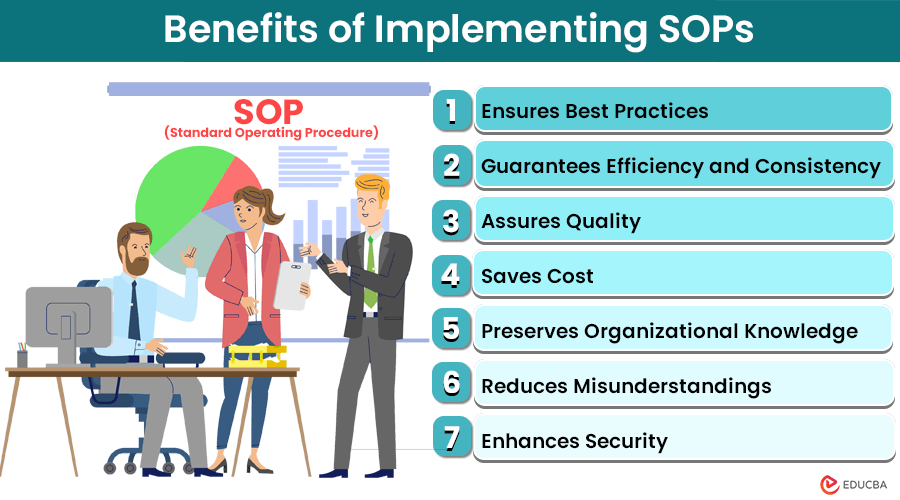
SOPs provide businesses with clear, documented instructions for completing routine processes. They help employees understand what needs to be done, how it should be done, who is responsible, and when it should be completed.

For critical functions such as HR and payroll, well-designed SOPs can improve consistency, reduce errors, and strengthen compliance.

This article explains why SOPs are important for businesses and how they can improve HR and payroll operations.


What Is a Standard Operating Procedure (SOP)?

A Standard Operating Procedure (SOP) is a documented set of step-by-step instructions that explains how a specific business process should be completed.

An SOP creates a standard method for performing recurring tasks.

For example, an HR onboarding SOP may explain:

  1. When employee documents should be collected.

  2. Who verifies the documents.

  3. How employee information should be entered into the HR system.

  4. When statutory registrations should be completed.

  5. Who conducts the employee induction.

Similarly, a payroll SOP may explain the process for:

  • Collecting attendance data

  • Reviewing leave records

  • Calculating salary

  • Processing deductions

  • Reviewing payroll

  • Approving salary payments

The goal is to ensure that important processes do not depend entirely on one person’s memory or experience.


Why Are SOPs Important for Businesses?

Every organization has processes, whether they are documented or not.

The difference is that undocumented processes often exist only in the minds of employees.

When those employees leave the company, change roles, or are unavailable, the organization may struggle to continue the process correctly.

SOPs help convert individual knowledge into an organized and repeatable business process.


1. SOPs Create Consistency

One of the biggest benefits of SOPs is consistency.

Without documented procedures, different employees may complete the same task differently.

For example, imagine three HR executives onboarding new employees.

One collects all documents before the joining date.

Another collects them after the employee joins.

The third forgets to collect certain documents entirely.

This inconsistency can create serious documentation and compliance problems.

An onboarding SOP ensures that every HR team member follows the same basic process.

Example

Without an SOP:

“Collect the required documents when possible.”

With an SOP:

“Collect identity, address, bank, and employment documents before or on the employee’s joining date. Verify completeness using the onboarding checklist and upload approved records to the HR system.”

The second approach is clearer, easier to monitor, and more consistent.


2. SOPs Reduce Dependency on Individual Employees

Many businesses depend heavily on the knowledge of specific employees.

For example:

  • One payroll executive knows all payroll calculations.

  • One HR manager understands the complete onboarding process.

  • One employee knows how statutory filings are managed.

But what happens when that person leaves?

Without documentation, important business knowledge can leave with them.

SOPs help preserve institutional knowledge.

A new employee can understand the process by reviewing the documented procedure rather than relying entirely on verbal instructions.

This is especially valuable for:

  • Growing businesses

  • Companies with employee turnover

  • Small HR teams

  • Businesses with multiple locations


3. SOPs Improve HR Compliance

HR departments handle many processes that may involve legal and statutory requirements.

These may include:

  • Employee documentation

  • Payroll processing

  • PF contributions

  • ESI contributions

  • TDS deductions

  • Leave management

  • Employee exit procedures

A missed step can create compliance problems.

For example, a payroll SOP can include a monthly checklist:

✔ Collect attendance data ✔ Review leave adjustments ✔ Verify salary revisions ✔ Check PF and ESI eligibility ✔ Calculate deductions ✔ Review TDS ✔ Obtain payroll approval ✔ Process salary payments

A structured checklist reduces the risk of important steps being forgotten.


4. SOPs Reduce Errors in Payroll Processing

Payroll is one area where even a small mistake can create major problems.

Incorrect salary calculations can result in:

  • Employee complaints

  • Incorrect deductions

  • Statutory compliance issues

  • Salary payment delays

A payroll SOP provides a structured process for handling each payroll cycle.

For example:

Step 1: Collect attendance data

Collect approved attendance and leave information before the payroll cut-off date.

Step 2: Review employee changes

Check for:

  • New employees

  • Resignations

  • Salary revisions

  • Promotions

  • Unpaid leave

  • Incentives or bonuses

Step 3: Process salary calculations

Calculate:

  • Gross salary

  • Deductions

  • Statutory contributions

  • TDS

  • Net salary

Step 4: Conduct a review

A designated person should verify the payroll before final approval.

This simple process can significantly reduce payroll errors.


5. SOPs Make Employee Training Easier

Training new employees can take significant time.

Without documented procedures, new employees may repeatedly ask experienced team members questions such as:

  • “What do I do next?”

  • “Where should I save this document?”

  • “Who approves this?”

  • “What is the deadline?”

SOPs provide a clear reference.

Instead of explaining the same process repeatedly, managers can provide the employee with the relevant SOP.

This helps new employees:

  • Understand their responsibilities

  • Learn processes faster

  • Reduce mistakes

  • Become productive more quickly

However, SOPs should support training rather than completely replace it.

Employees may still need guidance for complex or unusual situations.


6. SOPs Improve Accountability

A good SOP clearly defines responsibilities.

It should explain:

  • Who performs the task

  • Who reviews it

  • Who approves it

  • What happens if there is an exception

This makes it easier to identify where a process has failed.

For example:

ProcessResponsible PersonReviewerApproverAttendance reviewHR ExecutiveHR Manager—Payroll calculationPayroll ExecutiveFinance ManagerManagementSalary paymentFinance TeamFinance HeadAuthorized Signatory

Clear responsibilities reduce confusion and improve accountability.


7. SOPs Help Businesses Scale

Processes that work for a team of five employees may not work for a company with 100 employees.

As a business grows, informal communication becomes more difficult.

SOPs make processes repeatable.

For example, a company opening a new branch can use the same documented:

  • Recruitment process

  • Employee onboarding process

  • Payroll procedures

  • Leave management procedures

  • Exit process

This allows businesses to grow without creating completely new systems every time.


8. SOPs Improve Business Continuity

Unexpected situations can affect business operations.

For example:

  • An employee resigns suddenly.

  • A key team member is on long leave.

  • A new manager joins the department.

  • Responsibilities are transferred between teams.

If processes are properly documented, another trained employee can continue the work.

SOPs help ensure that business operations do not depend entirely on one individual.


9. SOPs Make Audits Easier

During an internal or external audit, businesses may need to demonstrate how important processes are managed.

An SOP can help auditors understand:

  • The organization’s standard process

  • Internal control points

  • Approval requirements

  • Responsible individuals

  • Record-keeping procedures

For example, an auditor reviewing payroll may compare the documented payroll SOP with actual payroll practices.

If the organization has a clear process and follows it consistently, the review becomes easier.

However, an SOP is only useful when employees actually follow it.


10. SOPs Improve Employee Experience

SOPs are not only beneficial for management.

Clear procedures can also improve the employee experience.

Employees benefit when processes are predictable.

For example, employees should understand:

  • How to apply for leave

  • How to claim reimbursements

  • How payroll issues are resolved

  • How to raise a grievance

  • What happens during the exit process

Clear processes reduce uncertainty and improve communication.


Essential SOPs Every HR Department Should Have

Every organization is different, but most HR departments should consider documenting key processes.

1. Employee Onboarding SOP

Should cover:

  • Offer acceptance

  • Document collection

  • Employee record creation

  • Policy communication

  • Statutory registrations

  • Induction


2. Payroll Processing SOP

Should cover:

  • Payroll timelines

  • Attendance cut-off dates

  • Salary calculations

  • Deductions

  • Statutory contributions

  • Approval process

  • Salary payment


3. Leave and Attendance SOP

Should explain:

  • Leave application procedures

  • Approval process

  • Attendance tracking

  • Unpaid leave

  • Regularization procedures


4. Employee Exit SOP

Should cover:

  • Resignation process

  • Notice period

  • Knowledge transfer

  • Asset return

  • Full and final settlement

  • Access removal

  • Exit documentation


5. Statutory Compliance SOP

Should include:

  • Compliance calendar

  • Responsible persons

  • Filing deadlines

  • Review procedures

  • Document retention


What Makes an Effective SOP?

An SOP should be useful, not unnecessarily complicated.

The best SOPs are:

Clear

Use simple language.

Specific

Clearly explain each important step.

Practical

Employees should be able to follow the process in real situations.

Accessible

Store SOPs where authorized employees can easily access them.

Updated

Review and update procedures regularly.

Accountable

Clearly define responsibilities and approval levels.


A Simple SOP Structure

Businesses can use the following format:

SOP Title

Example: Monthly Payroll Processing

Purpose

Explain why the process exists.

Scope

Identify which employees or departments the SOP applies to.

Responsibilities

Define who performs, reviews, and approves the process.

Procedure

Provide step-by-step instructions.

Documents Required

List relevant forms, reports, or supporting documents.

Deadlines

Include important timelines.

Exceptions

Explain how unusual situations should be handled.

Review Date

Specify when the SOP should next be reviewed.

This structure makes SOPs easier to understand and maintain.


Common SOP Mistakes Businesses Should Avoid

1. Creating SOPs That Are Too Complicated

Employees may not use a 50-page document for a simple recurring task.

Keep procedures practical and easy to follow.


2. Creating SOPs and Never Updating Them

An outdated SOP can be worse than no SOP because employees may follow incorrect instructions.

Review procedures regularly.


3. Not Training Employees

Simply sharing an SOP does not guarantee that employees understand it.

Important procedures should be explained during training.


4. Keeping SOPs Hidden

Employees need access to the procedures relevant to their responsibilities.


5. Ignoring Exceptions

Not every situation will follow the standard process.

SOPs should explain who to contact when an exception occurs.


How HR and Payroll Outsourcing Can Support Better Processes

For businesses without a dedicated HR or payroll team, maintaining structured processes can be challenging.

Professional HR and payroll support can help businesses establish more organized systems for:

  • Payroll processing

  • Employee documentation

  • Statutory compliance

  • Attendance management

  • HR administration

Outsourcing does not remove an employer’s responsibility for compliance, but the right service provider can bring specialized knowledge, structured workflows, and additional process support.

This can be particularly helpful for growing businesses that need stronger HR and payroll processes without immediately building a large internal team.


Final Thoughts

Standard Operating Procedures may seem like simple documents, but their impact on a business can be significant.

SOPs help organizations move away from informal, person-dependent processes and toward structured, consistent, and repeatable operations.

For HR and payroll teams, this can mean:

  • Fewer errors

  • Better documentation

  • Stronger compliance processes

  • Easier employee training

  • Greater accountability

  • Improved business continuity

The most important thing is to remember that an SOP should not simply exist in a folder.

A good SOP should reflect how the business actually works—and employees should be trained to follow it.

As businesses continue to grow and compliance requirements become more complex, documented processes will become increasingly important.

A well-designed SOP is not just a document.

It is a tool that helps businesses operate more consistently, efficiently, and confidently.

25Sep

Relieving Letter, Experience Letter and Settlement Documents: Understanding the Difference

By Afla KC , Digital Marketing Executive

Introduction

When an employee leaves an organisation, HR’s responsibility does not end with accepting the resignation.

The exit process involves several important steps, including notice-period management, handover, access removal, payroll closure, statutory updates, and the preparation of employment-related documents.

Among the most commonly discussed documents are the Relieving Letter, Experience Letter, and Full and Final Settlement documents.

Although these documents are often mentioned together, they serve different purposes.

A relieving letter confirms that an employee has been formally released from their responsibilities. An experience letter records the employee’s work experience with the organisation. Settlement documents, on the other hand, deal primarily with the financial and administrative closure of the employment relationship.

Understanding the difference is important for both HR teams and employees. It helps organisations maintain a professional exit process and ensures that employees receive the documentation they may need for future employment, background verification, financial records, or other purposes.

In this guide, we will explain what each document means, when it is issued, what information it generally contains, and how HR teams can manage the employee exit process more effectively.


What Is a Relieving Letter?

A Relieving Letter i

s a document issued by an employer confirming that an employee has been formally relieved from their duties.

It generally indicates that the employee has completed the required exit formalities and that their employment with the organisation has ended.

A relieving letter may contai

n:

  • Employee name

  • Designation

  • Employee ID

  • Date of joining

  • Last working day

  • Confirmation of being relieved

  • Reference to resignation, where appropriate

  • Company details

  • Authorised signatory

The document primarily focuses on the employee’s release from employment.


Why Is a Relieving Letter Important?

A relieving letter can be useful when an employee joins another organisation.

A new employer may request it as part of their employment verification process.

It can help confirm t

hat:

  • The employee worked for the previous organisation

  • The employee has formally left

  • The previous employment relationship has ended

However, the exact docu

mentation requirements can vary between employers.

A relieving letter should therefore not be confused with a document that describes the employee’s complete work experience.


What Is an Experience Letter?

An Experience Letter is a document that confirms an employee’s work experience with an organisation.

It generally focuses on the employee’s employment history and may mention:

  • Employee name

  • Designation

  • Department

  • Date of joining

  • Last working date

  • Duration of employment

  • Nature of role or responsibilities

  • Overall employment confirmation

An experience letter is particularly useful when an employee applies for another job and needs to demonstrate previous professional experience.


Relieving Letter vs Experience Letter

The easiest way to understand the difference is:

Relieving Letter = Confirms the employee has been formally released.

Experience Letter = Confirms the employee’s work experience with the organisation.

Although some organisations combine both into a single document, they are conceptually different.

For example, an experience letter may explain that an employee worked as a Marketing Executive from a particular date to another date.

A relieving letter may state that the employee was formally relieved from their duties on their last working day after completing the required exit process.


What Are Settlement Documents?

Settlement documents relate to the financial and administrative closure of an employee’s employment.

The most commonly used term is Full and Final Settlement (FnF).

When an employee leaves, the organisation needs to calculate the amounts payable to and recoverable from the employee.

Depending on the employee’s circumstances and company policies, the settlement may include:

  • Salary payable

  • Leave encashment, where applicable

  • Incentives

  • Bonus, where applicable

  • Reimbursements

  • Deductions

  • Notice-period recovery, where applicable

  • Advances

  • Other recoveries

  • Statutory deductions

The exact components depend on the employment contract, company policies, applicable laws, and the employee’s circumstances.


What Is Full and Final Settlement?

Full and Final Settlement is the process of closing the employee’s financial account with the organisation after the employment relationship ends.

The payroll team generally reviews:

Earnings

  • Salary for the final period

  • Eligible incentives

  • Leave encashment

  • Reimbursements

  • Other applicable payments

Deductions

  • Notice-period recovery, where applicable

  • Salary advances

  • Loans

  • Asset recovery

  • Statutory deductions

  • Other authorised deductions

The final amount is then calculated and processed according to the applicable company procedure and legal requirements.


Why Is Full and Final Settlement Important?

A properly managed settlement helps both the employer and employee close the employment relationship clearly.

For employees, it provides clarity about:

  • Amount payable

  • Deductions

  • Leave balance

  • Pending reimbursements

  • Other financial components

For employers, it creates a documented record of the financial closure of employment.

A clear settlement process can also reduce misunderstandings and disputes after an employee leaves.


Are Relieving and Experience Letters the Same as Full and Final Settlement?

No.

These documents serve different purposes.

DocumentPrimary PurposeRelieving LetterConfirms formal release from employmentExperience LetterConfirms employment experience and tenureFull & Final SettlementCloses financial dues and recoveriesSalary/Tax DocumentsProvide payroll or tax-related information

They may be issued around the same time, but they are not interchangeable.


What Information Should an HR Exit File Contain?

A well-maintained employee exit file may include:

  • Resignation letter

  • Resignation acceptance

  • Notice-period details

  • Handover confirmation

  • Last working day confirmation

  • Exit interview records

  • Asset-return confirmation

  • Access clearance

  • Relieving letter

  • Experience letter

  • Full and Final Settlement statement

  • Salary records

  • Applicable statutory records

  • Other relevant exit documentation

The exact documents will depend on the organisation’s policies and applicable legal requirements.


The Employee Exit Process

A structured exit process can make documentation easier.

Step 1: Receive Resignation

HR formally records the employee’s resignation.

Step 2: Confirm Notice Period

The applicable notice period is reviewed based on the employment contract and company policy.

Step 3: Plan Handover

The employee completes the required knowledge and responsibility transfer.

Step 4: Complete Clearance

HR and relevant departments confirm the return of company assets and completion of required formalities.

Step 5: Confirm Last Working Day

The organisation records the employee’s official final working date.

Step 6: Process Payroll

The payroll team calculates salary and other payable or recoverable amounts.

Step 7: Complete Full and Final Settlement

The final settlement is prepared and processed.

Step 8: Issue Employment Documents

The organisation issues applicable relieving, experience, and other documents according to its process.


What Should a Relieving Letter Include?

A professional relieving letter should generally be concise.

It may include:

Employee name

Designation

Employee ID

Date of joining

Last working date

Confirmation of relief

Authorised signatory

The document does not normally need to contain a detailed description of the employee’s responsibilities.

That information is generally more appropriate for an experience or employment certificate.


What Should an Experience Letter Include?

An experience letter may provide slightly more detail.

It can mention:

  • Employee’s full name

  • Position held

  • Department

  • Employment period

  • Key responsibilities, where appropriate

  • General statement regarding employment

  • Date of issue

  • Company details

  • Authorised signatory

Some organisations issue a simple experience certificate, while others provide a more detailed employment certificate.


What Should a Full and Final Statement Include?

A settlement statement should clearly show the relevant financial components.

It may include:

Earnings

  • Salary

  • Leave encashment

  • Incentives

  • Bonus

  • Reimbursements

Deductions

  • Statutory deductions

  • Notice-period recovery

  • Advances

  • Loans

  • Other authorised recoveries

Final Amount

The statement should clearly show the net amount payable or recoverable after applicable calculations.

Employees should be able to understand how the final amount was calculated.


When Should These Documents Be Issued?

There is no single universal timeline that applies identically to every organisation and situation.

The timing may depend on:

  • Company policy

  • Employment contract

  • Applicable labour laws

  • Completion of clearance

  • Payroll processing

  • Full-and-final settlement

  • Statutory requirements

HR teams should establish a clear internal process and communicate expected timelines to employees.

Avoid leaving employees uncertain about when they will receive their exit documentation.


Common HR Mistakes During Employee Exit

1. Treating All Documents as the Same

Relieving letters, experience letters, and settlement statements serve different purposes.

2. Incomplete Exit Records

Missing resignation acceptance, clearance, or settlement documentation can create future complications.

3. Delayed Communication

Employees should understand the exit process and expected timelines.

4. Incorrect Final Payroll

Salary, leave, incentives, recoveries, and deductions should be reviewed carefully.

5. Poor Documentation

Important exit records should be stored securely and systematically.

6. Inconsistent Processes

Different employees should not receive completely different exit treatment without a valid reason.


Common Employee Questions

Can an Experience Letter Replace a Relieving Letter?

Not necessarily.

An experience letter confirms employment experience, while a relieving letter generally confirms formal release from employment.

Some organisations may combine the two into a single document, but employees should check what documentation their next employer requires.

Is a Full and Final Settlement the Same as a Relieving Letter?

No.

Full and Final Settlement deals with financial closure. A relieving letter deals with the employee’s formal release from employment.

Can an Employee Request These Documents?

Employees can request relevant employment documents from their employer, subject to the organisation’s processes and applicable requirements.

Does Every Company Use Separate Documents?

No.

Some organisations issue separate relieving and experience letters, while others provide a combined employment or relieving-and-experience letter.


How HRMS Can Simplify Employee Exit Management

Employee exits involve multiple departments and several documents.

An HRMS can help organisations manage:

  • Resignation records

  • Notice periods

  • Exit approvals

  • Clearance

  • Asset tracking

  • Leave balances

  • Payroll calculations

  • Full-and-final settlement

  • Document generation

  • Employee records

A structured digital workflow reduces manual follow-ups and makes it easier for HR teams to track the status of each employee’s exit.


Employee Exit Checklist for HR Teams

Before closing an employee’s file, HR teams can check:

✓ Resignation received

✓ Resignation accepted

✓ Notice period confirmed

✓ Handover completed

✓ Company assets returned

✓ Access removed

✓ Leave balance verified

✓ Final salary calculated

✓ Statutory deductions reviewed

✓ Full and Final Settlement completed

✓ Relieving Letter prepared

✓ Experience Letter prepared

✓ Other applicable documents issued

✓ Exit records securely maintained

This checklist can help create a consistent employee exit process.


Why a Professional Exit Process Matters

An employee’s final experience with a company can influence how they remember the organisation.

A well-managed exit demonstrates professionalism.

Even when an employee is leaving for another opportunity, the organisation can maintain a positive relationship through:

  • Clear communication

  • Timely documentation

  • Accurate settlement

  • Respectful exit discussions

  • Proper handover

  • Professional closure

Former employees can also become future clients, business partners, referrals, or even potential rehires.

Therefore, employee offboarding should be treated as an important part of the overall employee experience.


Conclusion

Relieving Letters, Experience Letters, and Full and Final Settlement documents are all important parts of employee offboarding, but they serve different purposes.

A Relieving Letter primarily confirms that an employee has been formally released from their employment.

An Experience Letter records the employee’s professional experience and period of employment.

Full and Final Settlement documents deal with the financial closure of the employment relationship, including applicable earnings, deductions, recoveries, and other settlement components.

For HR teams, understanding these differences helps create a more structured and transparent exit process. It also reduces confusion for employees who may need these documents when joining a new organisation.

The best approach is to establish a standard exit checklist, clearly assign responsibilities, maintain accurate payroll records, and communicate timelines to employees. Using HRMS and payroll systems can further simplify document management and reduce manual errors.

Employee exits are a normal part of business operations. What matters is how professionally the organisation manages them.

A smooth exit process protects the company’s records, provides employees with appropriate documentation, and ensures that the employment relationship ends with clarity and professionalism.

A good employee journey should include a good beginning—and a professional ending.

24Sep

Employee Document Collection Checklist: What HR Should Verify Before Onboarding

By Nandana G.S , Digital Marketing Executive

Employee onboarding is more than introducing a new employee to the organization. It is also the stage where HR needs to establish accurate employee records, verify essential information, and complete the documentation required for payroll and compliance.

A well-structured document collection process can reduce data errors, prevent payroll issues, and make future HR audits much easier.

1. Personal Information

HR should collect and verify the basic information required to create the employee’s official record.

This may include:

  • Full name

  • Date of birth

  • Contact details

  • Current and permanent address

  • Emergency contact details

  • Other information required under the organization’s onboarding process

HR should ensure that important details are consistent across the documents provided.

2. Identity and Address Verification

Where required and appropriate, HR may collect documents for identity and address verification.

The organization should:

✔️ Collect only documents that are necessary ✔️ Verify information against the relevant records ✔️ Maintain documents securely ✔️ Restrict access to authorized personnel ✔️ Follow applicable privacy and data-protection requirements

HR should avoid collecting unnecessary personal information simply because it is part of an old checklist.

3. Educational and Professional Documents

For roles where qualifications are relevant, HR may verify:

  • Educational certificates

  • Professional certifications

  • Previous employment-related qualifications

  • Professional licenses, where applicable

The level of verification should depend on the role and the organization’s recruitment process.

4. Previous Employment Details

Where applicable, HR should document previous employment information such as:

✔️ Previous employer details ✔️ Designation ✔️ Employment period ✔️ Relevant experience ✔️ Relieving or experience documentation, where required ✔️ Previous employment information needed for payroll/tax purposes

These records can also help HR identify information required for salary and statutory processing.

5. Bank and Payroll Information

Accurate payroll information is essential before the first salary cycle.

HR/payroll should verify the information needed for salary processing, such as:

  • Bank account details

  • Account holder name

  • Required payroll declarations

  • Salary structure and approved compensation details

Incorrect bank or payroll information can result in payment delays and reconciliation issues.

6. PF and UAN Details

For employees covered under applicable EPF requirements, HR should check whether the employee already has a UAN and ensure relevant information is correctly recorded.

HR should:

✔️ Check for an existing UAN ✔️ Avoid unnecessary duplicate UAN creation ✔️ Verify relevant employee details ✔️ Ensure appropriate PF records are linked to the employment ✔️ Coordinate with payroll for accurate contribution processing

7. ESI and Other Statutory Information

Depending on applicability, HR may need to collect or verify information required for ESI, Professional Tax, Labour Welfare Fund, TDS, and other statutory processes.

The exact requirements can vary depending on the employee, establishment, location, salary, and applicable legislation.

Therefore, HR should maintain a state- and organization-specific onboarding checklist rather than using the same checklist for every business.

8. Employment Documentation

Before the employee officially starts, HR should ensure that key employment documents are completed.

These may include:

  • Offer letter

  • Appointment letter

  • Employment agreement, where applicable

  • Job description

  • Compensation details

  • Confidentiality or other agreements, where relevant

  • Employee handbook or policy acknowledgement

The employee should understand the key terms and conditions applicable to the employment.

9. Policy Acknowledgements

Employees should be informed about important workplace policies applicable to them.

Depending on the organization, this may include:

✔️ Code of conduct ✔️ Leave and attendance policy ✔️ POSH policy ✔️ Information security policy ✔️ Work-from-home policy ✔️ Disciplinary policy ✔️ Other company policies

HR should maintain evidence that relevant policies were communicated and acknowledged.

10. Emergency and Contact Information

Emergency contact information should be collected where necessary for workplace administration and employee safety.

HR should ensure that:

  • Contact details are accurate

  • Information is updated when necessary

  • Access is limited to appropriate personnel

11. Background Verification

If the organization conducts background verification, HR should ensure the process is handled consistently and in accordance with applicable requirements.

Depending on the role, verification may cover areas such as:

  • Employment history

  • Educational qualifications

  • References

  • Other role-specific checks

Any required consent and supporting documentation should be maintained appropriately.

12. Create a Standard Onboarding Checklist

Instead of collecting documents randomly, HR can create a standardized onboarding workflow:

Offer → Document Collection → Verification → Employment Documentation → Statutory Setup → Payroll Setup → Policy Acknowledgement → HRMS Entry → Onboarding Completion

Each stage should have a responsible person and a clear completion status.

Common Employee Document Collection Mistakes

HR teams often face problems when they:

❌ Collect documents without verifying them ❌ Request unnecessary personal information ❌ Create duplicate PF/UAN records ❌ Enter inconsistent employee data into HRMS and payroll ❌ Forget policy acknowledgements ❌ Keep incomplete onboarding files ❌ Store employee documents without proper access controls ❌ Fail to update records when employee information changes

Employee Onboarding Document Checklist

A practical checklist can cover:

CategoryWhat HR Should CheckPersonal DetailsName, DOB, contact and addressIdentityRequired identity verificationEducationRelevant qualificationsEmploymentPrevious employment informationPayrollBank and compensation detailsPFUAN/PF information, where applicableStatutoryESI, PT, TDS and other applicable detailsEmploymentOffer/appointment documentationPoliciesRequired policy acknowledgementsVerificationBackground checks, where applicableHRMSAccurate employee master data

How Level Up HR Solutions Can Help

At Level Up HR Solutions, we help businesses create more structured HR systems through HR documentation, employee record management, payroll compliance, statutory compliance, HR audits, and policy support.

A standardized onboarding documentation process helps businesses maintain accurate employee records from Day One and reduces avoidable HR and payroll errors.

Final Thoughts

Employee document collection should not be treated as a routine paperwork exercise. It is an important part of building a reliable employee record and compliance framework.

By collecting only necessary information, verifying it properly, maintaining documents securely, and connecting onboarding with payroll and statutory processes, HR teams can create a smoother and more organized employee experience.

The goal is simple: collect what is necessary, verify what matters, protect employee information, and maintain accurate records.

Level Up HR Solutions 📞 +91 8714805999 📧 info@leveluphrs.com 🌐 www.leveluphrs.com

#EmployeeOnboarding #HRDocumentation #EmployeeRecords #HRCompliance #OnboardingChecklist #PayrollCompliance #HRManagement #StatutoryCompliance #HRIndia #EmployeeOnboardingProcess #KeralaBusiness #KochiBusiness #LevelUpHRSolutions

22Sep

Work From Home Policy: What Should Employers Clearly Define?

By Afla KC , Digital Marketing Executive

Introduction

Work from home has become an important part of modern workplace management. For many organisations, remote work is no longer simply a temporary arrangement. It has become a practical way to offer flexibility, attract talent, improve employee satisfaction, and maintain business continuity.

However, allowing employees to work fro

m home without clear guidelines can create challenges.

Questions can quickly arise:

  • When can employees work from

  •  home?

  • Who is eligible?

  • What are the expected working hours?

  • How should attendance be recorded?

  • How should employees

  • communicate with their teams?

  • Who provides laptops and other equipment?

  • How is employee performance measured?

  • What happens if an em

  • ployee is unavailable during working hours?

A well-designed Work From Home (WFH) Policy provides clarity for both employers and employees. It establishes expectations while giving employees the flexibility to work effectively outside the traditional office environment.

A good policy should not simply say that employees are “allowed to work from home.” It should clearly explain how remote work will operate in practice.

This guide covers the key areas employers should define when creating a work-from-home policy.


What Is a Work From Home Policy?

A Work From Home Policy is a formal company guideline that explains when and how employees may perform their duties remotely.

It establishes expectations around:

  • Eligibility

  • Working hours

  • Attendance

  • Communication

  • Productivity

  • Performance

  • Technology

  • Data security

  • Expenses

  • Leave

  • Availability

  • Health and safety

  • Policy violations

The purpose is to create a structured remote-working environment rather than leaving expectations open to interpretation.


1. Clearly Define Who Is Eligible

Not every role can necessarily be performed remotely.

Employers should clearly identify which employees or job roles are eligible for work from home.

Eligibility may depend on:

  • Nature of the job

  • Department

  • Employee responsibilities

  • Business requirements

  • Performance

  • Seniority, where applicable

  • Availability of necessary technology

For example, a software developer may be able to work remotely, while a production-floor employee may need to be physically present.

The policy should explain whether WFH is:

  • Available to all eligible employees

  • Available only to selected roles

  • Subject to manager approval

  • Available only in specific circumstances

Clear eligibility criteria can prevent confusion and perceptions of unfair treatment.


2. Define When Work From Home Is Allowed

Employers should specify whether remote work is:

Fully Remote

Employees work from home on a permanent basis.

Hybrid

Employees divide their working time between the office and home.

Occasional WFH

Employees can request remote work for specific days or situations.

Emergency WFH

Employees may work remotely during exceptional circumstances such as severe weather, transportation disruptions, or other emergencies.

The policy should clearly explain which model the organisation follows.


3. Establish Working Hours

Remote work does not mean that working hours become undefined.

Employers should clearly mention:

  • Standard working hours

  • Start and end times

  • Lunch or break periods

  • Core availability hours

  • Shift timings, where applicable

  • Overtime requirements

  • Time-zone expectations for distributed teams

For example, a company may require employees to be available between specific core hours while allowing some flexibility around their start and finish times.

The important point is to create clarity without unnecessarily micromanaging employees.


4. Define Attendance Requirements

Attendance tracking should be clearly addressed.

Employees should know:

  • How attendance is marked

  • Whether login/logout is required

  • How breaks are recorded

  • What happens if there is a technical issue

  • How late attendance is handled

  • How WFH days are recorded

If the organisation uses HRMS or attendance software, the policy should explain the expected process.

A consistent attendance system can also help payroll teams maintain accurate salary and leave records.


5. Explain the WFH Approval Process

Employees should know how to request work from home.

The policy may specify:

  • Who approves WFH

  • How many days can be requested

  • How much advance notice is required

  • Emergency request procedures

  • Documentation requirements, where applicable

For example:

Employee → Reporting Manager → HR, where required

A clearly defined approval workflow prevents informal arrangements from creating administrative problems.


6. Set Communication Expectations

Communication is one of the biggest challenges in remote work.

Employees should know which communication channels are used for different purposes.

For example:

  • Email for formal communication

  • Instant messaging for quick updates

  • Video calls for meetings

  • Project management tools for task tracking

  • HRMS for attendance and leave

The policy can also establish expectations around response times.

For example, employees may be expected to respond to work-related communication during agreed working hours.


7. Define Meeting and Collaboration Rules

Remote employees need to remain connected with their teams.

Employers can establish guidelines around:

  • Online meetings

  • Team calls

  • Camera usage

  • Meeting punctuality

  • Calendar availability

  • Meeting etiquette

  • Internal collaboration

However, organisations should avoid unnecessary meetings.

Remote work is more effective when employees have enough uninterrupted time to complete their actual responsibilities.


8. Set Clear Performance Expectations

One of the biggest misconceptions about remote work is that productivity should be measured by how long an employee appears online.

Instead, organisations should focus on:

  • Deliverables

  • Deadlines

  • Quality of work

  • Goals

  • Customer outcomes

  • Team contribution

Managers should establish measurable performance expectations.

This helps employees understand what they are accountable for while giving them reasonable flexibility in how they complete their work.


9. Define Technology and Equipment Responsibilities

Employers should clearly state who provides the equipment required for remote work.

This may include:

  • Laptop

  • Monitor

  • Keyboard and mouse

  • Headset

  • Internet connection

  • Required software

  • Security tools

The policy should clarify:

  • Who owns company equipment

  • How equipment is maintained

  • What happens if equipment is damaged

  • Whether employees can use personal devices

  • What happens when employment ends

Clear equipment guidelines can prevent disputes later.


10. Address Data Security and Confidentiality

Remote employees may access sensitive company information outside the office.

Therefore, data security should be a major part of any WFH policy.

Employees should be instructed to:

  • Use approved devices

  • Protect passwords

  • Avoid sharing company credentials

  • Use authorised software

  • Secure confidential documents

  • Avoid accessing sensitive information through unsafe networks

  • Report suspected security incidents

Where applicable, organisations should also use tools such as multi-factor authentication, device management, VPNs, and access controls.

The policy should make it clear that company data remains confidential regardless of where the employee works.


11. Explain Internet and Other Work Expenses

Employers should clarify whether they provide or reimburse expenses related to remote work.

Possible expenses include:

  • Internet

  • Mobile communication

  • Electricity

  • Equipment

  • Software subscriptions

  • Other approved work-related costs

If reimbursement is available, the policy should specify:

  • Eligible expenses

  • Maximum limits

  • Required documents

  • Approval process

  • Reimbursement timelines

Avoid vague statements such as “reasonable expenses will be reimbursed” without defining what reasonable means.


12. Include Leave and Absence Rules

Employees working remotely should follow the same applicable leave procedures unless the organisation specifically provides otherwise.

The policy should explain:

  • How leave is requested

  • Who approves leave

  • How emergency leave is communicated

  • How sick leave is reported

  • What happens when an employee becomes unavailable during working hours

Working from home should not be treated as a substitute for applying for leave when an employee is unable to work.


13. Define Health and Safety Expectations

Employers should encourage employees to maintain a safe and suitable home-working environment.

Employees can be advised to:

  • Use an appropriate workstation

  • Maintain good posture

  • Take regular breaks

  • Avoid unsafe work setups

  • Report work-related incidents where required

Depending on the organisation and applicable legal requirements, employers may also consider providing ergonomic guidance or support.


14. Define Geographic Restrictions

Employers should clarify whether employees can work from any location or only from an approved residence.

This is particularly important when employees want to work:

  • From another city

  • From another state

  • From another country

Working from another location can potentially affect taxation, employment compliance, data security, insurance, and other business considerations.

Therefore, employees should obtain approval before changing their regular remote-working location where the policy requires it.


15. Address Employee Privacy

Remote work can create concerns about employee monitoring.

If an organisation uses monitoring software, attendance tracking, device management, or other technology, employees should be informed about:

  • What is monitored

  • Why it is monitored

  • How information is used

  • Who can access it

  • How long relevant information is retained

Employers should aim for transparency and ensure that monitoring practices are consistent with applicable laws and company policies.


16. Define Policy Violations

Employees should understand what happens when WFH rules are repeatedly violated.

Examples may include:

  • Unauthorised absence

  • Misuse of company equipment

  • Sharing confidential information

  • Repeated failure to attend required meetings

  • Misrepresentation of attendance

  • Failure to meet agreed responsibilities

The policy should explain that violations may result in appropriate action under the organisation’s disciplinary procedures.


17. Include Business Continuity Provisions

Remote work policies can also support business continuity.

Employers should explain what happens when:

  • The office becomes unavailable

  • There is a local emergency

  • Employees cannot travel

  • Critical systems are disrupted

  • Certain teams need to operate remotely

Having a predefined process allows organisations to respond faster during unexpected situations.


18. Review the Policy Regularly

A WFH policy should not be treated as a document that is created once and forgotten.

Businesses should review it periodically based on:

  • Changes in workforce structure

  • Technology

  • Employee feedback

  • Business requirements

  • Changes in applicable laws

  • Security requirements

HR teams can also use employee feedback to identify areas where the policy needs improvement.


Common Work From Home Policy Mistakes

Employers should avoid:

Being Too Vague

Statements such as “employees can work remotely when required” create confusion.

Treating Every Role the Same

Different roles may have different operational requirements.

Focusing Only on Attendance

Productivity should not be measured purely by online presence.

Ignoring Data Security

Remote access increases the importance of cybersecurity controls.

Failing to Define Equipment Responsibility

Employees and employers may have different expectations about who pays for equipment and expenses.

Not Defining Approval Procedures

Informal WFH arrangements can create attendance and payroll problems.

Not Communicating the Policy

Even the best policy is ineffective if employees do not understand it.


A Simple Work From Home Policy Checklist

Before implementing a WFH policy, HR teams should confirm that it addresses:

✓ Eligibility

✓ Remote work model

✓ Working hours

✓ Attendance

✓ WFH approval process

✓ Communication

✓ Meetings

✓ Performance expectations

✓ Equipment

✓ Internet and expenses

✓ Data security

✓ Confidentiality

✓ Leave and absence

✓ Health and safety

✓ Geographic restrictions

✓ Employee privacy

✓ Policy violations

✓ Business continuity

✓ Policy review


Conclusion

A successful Work From Home policy is not simply about giving employees permission to work outside the office. It is about creating a clear framework that balances flexibility with accountability.

Employees should understand when they can work remotely, what is expected from them, how they should communicate, how performance will be evaluated, and what responsibilities they have while working from home.

Employers, meanwhile, need clarity around attendance, productivity, equipment, expenses, data security, employee privacy, and compliance.

The most effective WFH policies are clear, practical, flexible, and aligned with the organisation’s actual working environment. They should provide enough structure to maintain productivity and accountability without creating unnecessary restrictions.

As businesses continue to adopt hybrid and remote working models, HR teams should regularly review their policies and ensure that they reflect current business needs and applicable legal requirements.

Ultimately, a well-designed Work From Home policy benefits both sides. Employees gain clarity and flexibility, while employers gain a more structured approach to managing remote teams.

A good WFH policy doesn’t just define where employees work—it defines how people can work effectively, responsibly, and consistently.

21Sep

HR Audit Evidence: What Records and Proof Should Companies Keep Ready?

By Nandana G.S , Digital Marketing Executive

An HR audit is not only about checking whether policies and processes exist. It is also about verifying whether the organization can prove that those processes are being followed.

For businesses, maintaining proper HR records helps demonstrate compliance, identify gaps, support payroll accuracy, and stay prepared for internal reviews, statutory inspections, or employee-related disputes.

What Is HR Audit Evidence?

HR audit evidence refers to the documents, records, reports, approvals, registers, and other supporting proof that demonstrate how an organization’s HR processes are being managed.

Having a policy on paper is one thing. Being able to show evidence of its implementation is another.

1. Employee Personal and Employment Records

HR should maintain accurate records for every employee, including:

✔️ Employee application/resume ✔️ Offer or appointment letter ✔️ Joining documentation ✔️ Employment agreement, where applicable ✔️ Employee master data ✔️ Designation and department records ✔️ Salary and compensation details ✔️ Promotion or transfer records ✔️ Relevant employee declarations and forms

These records should be organized and updated whenever employee information changes.

2. Attendance and Leave Records

Attendance and leave documentation is important for both HR administration and payroll verification.

Companies should maintain:

  • Attendance records

  • Leave applications and approvals

  • Leave balances

  • Late-coming or absence records, where applicable

  • Overtime records, where applicable

  • Working-hours records

The records should be consistent with the information used for payroll processing.

3. Payroll and Salary Records

Payroll is one of the key areas reviewed during an HR audit.

Evidence may include:

✔️ Salary registers ✔️ Payroll processing reports ✔️ Payslips ✔️ Salary structure records ✔️ Deductions and recoveries ✔️ Overtime or incentive calculations ✔️ Full & Final settlement records ✔️ Payroll reconciliation reports

HR and payroll teams should be able to explain significant variations or adjustments.

4. Statutory Compliance Records

Companies should maintain appropriate evidence relating to applicable statutory requirements.

Depending on the organization’s applicability, this may include records relating to:

  • PF

  • ESI

  • Professional Tax

  • TDS

  • Labour Welfare Fund

  • Gratuity

  • Applicable labour-law registers and returns

  • Statutory payments and acknowledgements

The exact records required can vary based on the organization’s location, workforce, and applicable laws.

5. HR Policies and Employee Acknowledgements

Having policies is not enough. Organizations should also maintain evidence that employees have been informed about relevant policies.

Examples include:

✔️ Employee handbook ✔️ Leave policy ✔️ Attendance policy ✔️ Code of conduct ✔️ POSH policy ✔️ Work-from-home policy ✔️ Disciplinary policy ✔️ Policy acknowledgement records

Whenever policies are updated, HR should maintain appropriate communication and acknowledgement records.

6. Recruitment and Onboarding Records

An HR audit may also examine whether recruitment and onboarding processes are properly documented.

Keep records such as:

  • Job descriptions

  • Interview evaluation forms

  • Selection approvals

  • Offer letters

  • Joining checklists

  • Onboarding documentation

  • Employee induction records

  • Background verification records, where applicable

A standardized recruitment file can make the audit process much easier.

7. Performance Management Records

Performance-related decisions should have supporting documentation.

HR may maintain:

✔️ Performance appraisal records ✔️ Goal-setting documents ✔️ Performance review forms ✔️ Feedback records ✔️ Performance improvement plans ✔️ Promotion recommendations ✔️ Increment approvals

Proper documentation can help demonstrate that employment decisions were based on an established process.

8. Training and Development Records

Organizations should maintain evidence of employee development activities.

This can include:

  • Training calendars

  • Attendance records

  • Training completion certificates

  • Skill development records

  • Training feedback

  • POSH awareness/training records

  • Other mandatory or role-specific training records

9. Disciplinary and Grievance Records

Where disciplinary or grievance matters arise, HR should maintain appropriate documentation.

Depending on the situation, this may include:

  • Employee complaints

  • Written explanations

  • Show-cause notices

  • Warnings

  • Investigation records

  • Management decisions

  • Grievance resolution records

These records should be handled with appropriate confidentiality and access controls.

10. Employee Exit Documentation

The employee exit process should also have a complete documentation trail.

HR should maintain:

✔️ Resignation letter/email ✔️ Resignation acceptance ✔️ Notice-period records ✔️ Handover documentation ✔️ Clearance records ✔️ Asset-return confirmation ✔️ Exit interview, where conducted ✔️ Full & Final settlement ✔️ Relieving and experience documents

A properly documented exit process can help reduce misunderstandings after separation.

11. HR Audit Trail and Approvals

One commonly overlooked area is proof of approvals and decision-making.

Organizations should retain appropriate evidence such as:

  • Management approvals

  • Salary revision approvals

  • Leave approvals

  • Hiring approvals

  • Policy approvals

  • Exception approvals

  • HR communications

  • Relevant email trails

This helps auditors understand not just what happened, but who authorized it and when.

12. Digital Records and Access Control

Modern HR departments increasingly rely on digital HRMS and payroll systems.

Companies should ensure that digital records are:

✔️ Properly organized ✔️ Backed up ✔️ Accessible to authorized personnel ✔️ Protected from unauthorized access ✔️ Retained according to applicable requirements

Important documents should not exist only in individual employees’ personal email accounts or local computer folders.

Common HR Audit Evidence Gaps

Businesses often face problems because they:

❌ Have policies but no acknowledgement records ❌ Maintain incomplete employee files ❌ Have payroll records that don’t match HR records ❌ Cannot produce approval trails ❌ Maintain inconsistent attendance and leave data ❌ Miss statutory payment or filing evidence ❌ Store documents across disconnected systems ❌ Fail to maintain proper exit documentation

HR Audit Evidence Checklist

A simple audit-ready HR file structure can include:

Employee Records → Recruitment → Onboarding → Attendance & Leave → Payroll → Statutory Compliance → Policies → Performance → Training → Grievances → Disciplinary Records → Exit Documentation → Approvals & Audit Trail

The goal is not to create paperwork for the sake of paperwork. The goal is to ensure that every important HR process has reliable supporting evidence.

How Level Up HR Solutions Can Help

At Level Up HR Solutions, we help businesses strengthen their HR systems through HR audits, HR documentation, payroll compliance, statutory compliance reviews, employee record management, and policy support.

An HR audit can help identify documentation gaps before they become larger compliance or operational problems.

Final Thoughts

Being audit-ready means more than having a collection of HR documents. Companies need a structured system where records are accurate, updated, traceable, and easy to retrieve.

When HR teams maintain proper evidence throughout the employee lifecycle, they can improve compliance, strengthen internal controls, and respond more confidently to audits and inspections.

Start building your HR audit file before you need it—not when an audit arrives.

Level Up HR Solutions 📞 +91 8714805999 📧 info@leveluphrs.com 🌐 www.leveluphrs.com

#HRAudit #HRAuditChecklist #HRCompliance #HRDocumentation #PayrollCompliance #StatutoryCompliance #EmployeeRecords #HRManagement #HRIndia #AuditReady #KeralaBusiness #KochiBusiness #LevelUpHRSolutions